

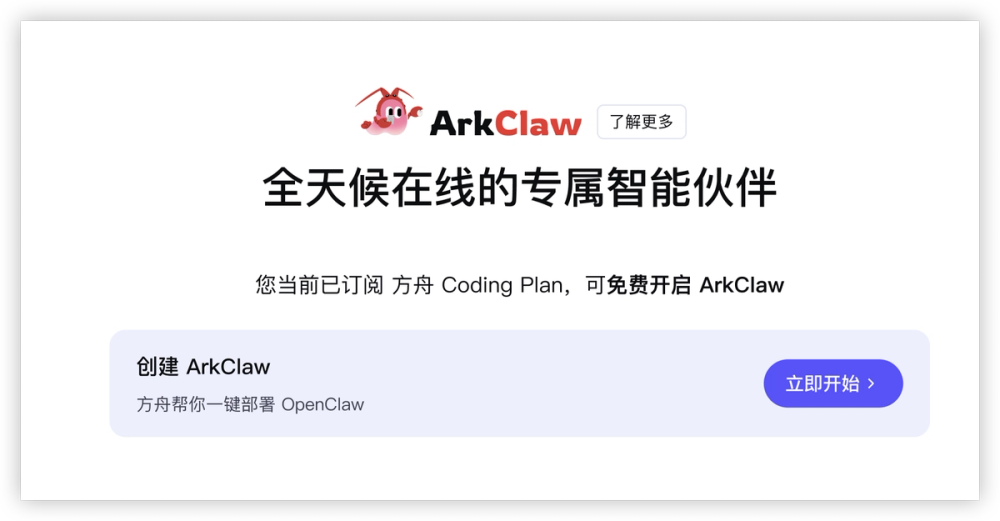
ArkClaw is a cloud-based AI agent service offered by Volcano Engine, designed to simplify the deployment and utilization of OpenClaw. It provides users with dedicated ECS resources, ensuring a 7x24 online presence without the complexities of manual configuration. This service is particularly beneficial for users who want to leverage OpenClaw without extensive technical expertise or infrastructure management. ArkClaw integrates seamlessly with Volcano Engine's Ark platform and its Coding Plan subscriptions, offering a convenient way to manage AI agent functionalities and avoid the anxieties associated with token-based billing.
Key Features and Benefits:
- One-Click Cloud Deployment of OpenClaw: ArkClaw eliminates the need for manual setup and configuration of OpenClaw instances. Users can deploy OpenClaw with a single click, making it accessible even to those with limited technical backgrounds.
- Dedicated ECS Resources: Each ArkClaw instance is provisioned with dedicated Elastic Compute Service (ECS) resources. This ensures stable performance, reliable availability, and a consistent 7x24 online status, crucial for continuous AI agent operations.
- Zero-Threshold Usage: The service is designed for ease of use, allowing users to start using OpenClaw immediately without needing to manage underlying infrastructure or complex configurations.
- Seamless Integration with Coding Plans: ArkClaw integrates directly with Volcano Engine's Ark platform and its Coding Plan subscriptions. This provides a streamlined experience for users who subscribe to plans like Coding Plan Pro or Coding Plan Lite, offering benefits such as extended usage or trial periods.
- Coding Plan Pro: Subscribers enjoy full access to ArkClaw services. Upon plan expiration, ArkClaw instances are deleted, but associated data is retained for 24 hours.
- Coding Plan Lite: Subscribers receive a 7-day free trial of ArkClaw. Similar to the Pro plan, data is retained for 24 hours after the trial period ends.
- User-Friendly Interface: The service is accessible through the Volcano Engine Ark platform's experience center, providing an intuitive interface for creating, managing, and interacting with ArkClaw instances.
Getting Started with ArkClaw:
-
Subscribe to a Coding Plan:
- Visit the Volcano Engine.
- Click "Subscribe Now" to complete the subscription.
-
Create and Use ArkClaw:
- Log in to the Volcano Engine Ark platform.
- Navigate to "Agent > ArkClaw" from the left-hand directory.
- Click the "Start Now" button to submit a creation request.
Important Notes:
- Sub-account Permissions: Before creating an ArkClaw instance with a sub-account, ensure the sub-account has the necessary IAM permissions:
iam:CreateRole,iam:GetRole,iam:AttachRolePolicy, andiam:ListAttachedRolePolicies. Contact your account administrator for permission configuration. - Instance Creation: After successful creation, you can begin interacting with your ArkClaw instance within the Ark platform.
Usage Tips and Advanced Configurations:
ArkClaw offers several features to enhance user experience and customize agent behavior:
- View and Configure Skills: Users can browse, install, and manage skills to extend ArkClaw's capabilities, allowing it to perform specific tasks or access external information.
- View and Configure Scheduled Tasks: Beyond real-time responses, ArkClaw can execute scheduled tasks, such as sending reminders or performing periodic updates, making it a proactive assistant.
- Configure Message Channels: Integrate ArkClaw with your preferred instant messaging tools, like Lark or DingTalk bots, for seamless communication and notifications.
- Define Personality: Customize ArkClaw's personality to shape its interaction style, making it more engaging and tailored to specific use cases.
- File Transfer Functionality: Utilize the file transfer feature to connect ArkClaw with your Object Storage Service (TOS) bucket, enabling efficient local-to-cloud file uploads and downloads.
- Manage ArkClaw Instances: Perform essential instance management tasks, including adjusting the inference model, restarting the service, or initializing the ArkClaw instance.


