LogoAI Just Better
Logo of DocuClipper

DocuClipper

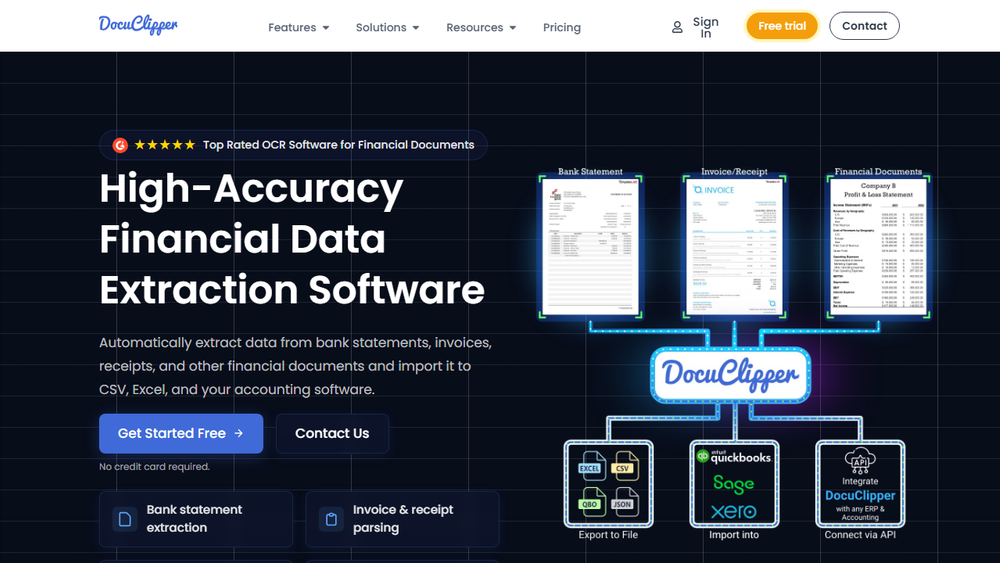
Automate financial document conversion with 99.6% accuracy. Export to Excel, CSV, QuickBooks, and Xero.

Introduction

DocuClipper is a powerful OCR (Optical Character Recognition) web application designed to streamline the process of converting financial documents into usable data formats. It specializes in extracting information from PDF bank statements, credit card statements, invoices, receipts, and tax forms, transforming them into Excel or CSV files. This capability significantly simplifies data import into popular accounting software such as QuickBooks, Xero, and Sage, thereby automating bookkeeping tasks and saving users considerable time and effort that would otherwise be spent on manual data entry.

Core Features:

  • Bank Statement Extraction: DocuClipper can automatically extract data from bank statements, ensuring accuracy and facilitating reconciliation processes. This feature is crucial for financial professionals and businesses needing to maintain precise financial records.
  • Invoice OCR: The software efficiently extracts data from invoices, allowing for faster processing of accounts payable and receivable. This reduces the manual effort involved in data entry and helps in tracking payments and outstanding amounts.
  • Receipt OCR: Users can convert scanned or PDF receipts into structured data, making expense tracking and reimbursement processes more efficient. This is particularly beneficial for individuals and businesses managing a high volume of expenses.
  • Other Financial Documents: Beyond statements and invoices, DocuClipper supports the extraction of data from various other financial documents, including tax forms, providing a comprehensive solution for financial data management.
  • Transaction Categorization: The application offers the ability to categorize transactions using keywords, which aids in better financial analysis and reporting. This feature helps in understanding spending patterns and financial health.
  • Transaction Analysis: DocuClipper can analyze transactions to detect the flow of funds and identify transfers, providing deeper insights into financial activities.

Target Users:

DocuClipper is designed for a wide range of users who deal with financial documents and require efficient data conversion. This includes:

  • Accountants and Bookkeepers: Professionals who need to process large volumes of financial data accurately and quickly for their clients.
  • Small Business Owners: Entrepreneurs who manage their own finances and want to save time on administrative tasks.
  • Financial Analysts: Individuals who require structured financial data for analysis, reporting, and forecasting.
  • Freelancers and Gig Workers: Those who need to track income and expenses from various sources and submit them for tax purposes.
  • Anyone managing personal finances: Individuals looking to organize their financial records and gain better control over their spending.

Benefits:

DocuClipper offers several key benefits:

  • High Accuracy: With a reported accuracy of 99.6%, users can trust the extracted data for critical financial operations.
  • Time Savings: Automating the conversion process significantly reduces the time spent on manual data entry, freeing up users for more strategic tasks.
  • Integration: Seamless integration with popular accounting software like QuickBooks, Xero, and Sage ensures that extracted data can be directly utilized in existing financial workflows.
  • Ease of Use: The web application is designed to be user-friendly, requiring minimal technical expertise to operate.
  • Cost-Effectiveness: By automating tasks that would otherwise require manual labor or specialized software, DocuClipper offers a cost-effective solution for financial data management.

DocuClipper's commitment to revolutionizing document management is evident in its advanced OCR technology and user-centric design, making it an indispensable tool for anyone looking to simplify their financial data processing.
Information

  • Published date2025/11/23
Logo

Also got a product to promote?

Submit your product here to boost SEO and get discovered by your target users.

Submit your product
icon of Nano Banana Pro

Nano Banana 2

AD

Free AI image generator powered by Google Gemini 3.1 Flash. Create stunning AI art with pre-built styles.

Newsletter

Join the Community

Subscribe to our newsletter for the latest news and updates